AI Receipt Scanning
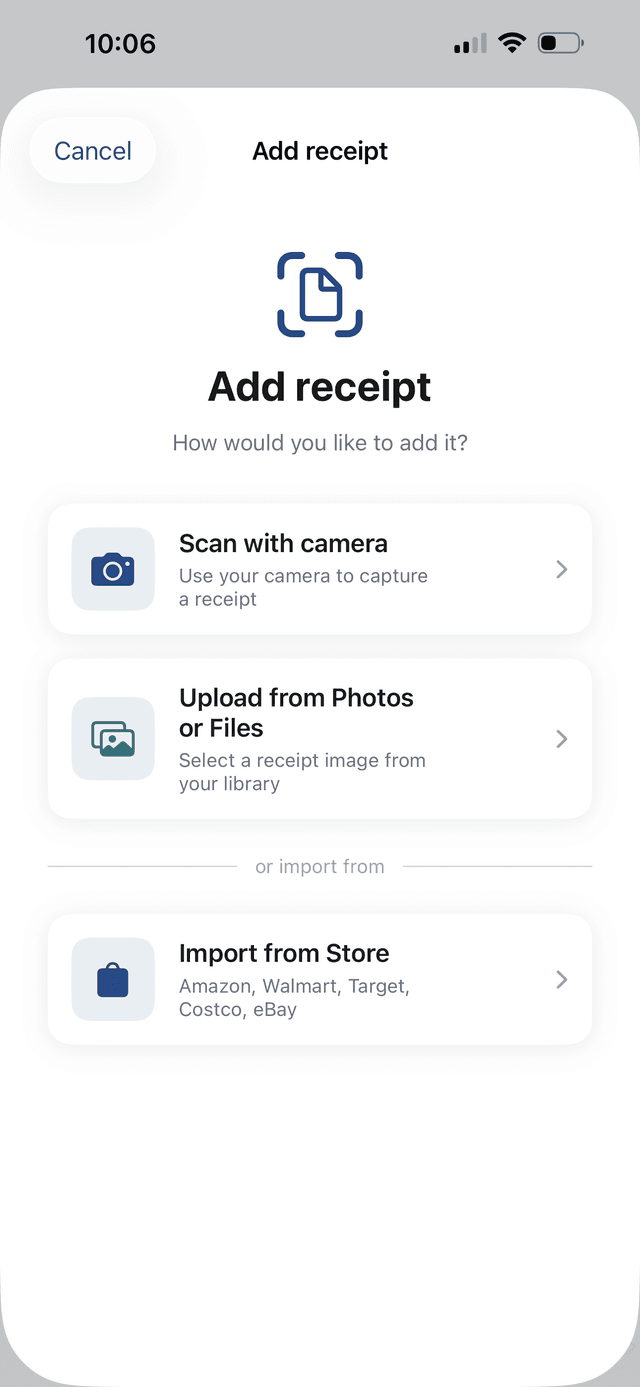
Powered by Gemini 2.5 Flash. Snap a photo and AI extracts every item, price, and store in seconds.
 SpendSavvy
SpendSavvy scans receipts with AI, finds cheaper prices, tracks budgets, and coaches you to save — all in one app.
Coming soon to the App Store
🎉 Now available on the App Store
Available on iOS · Free to download
Growing community of users saving smarter every day
Features
Scan any receipt and AI extracts every item and price in seconds. Powered by Gemini 2.5 Flash for fast, accurate results.
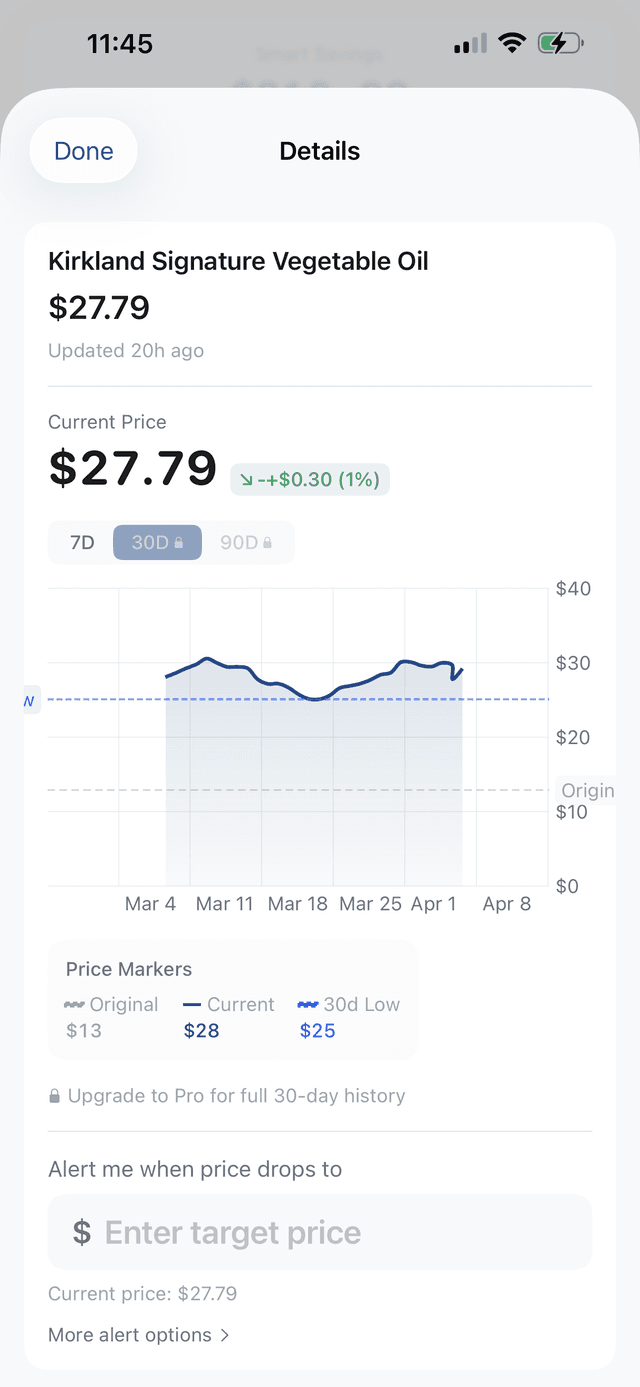
Track prices on items you buy regularly. Get alerts when prices drop and find cheaper alternatives at other stores.
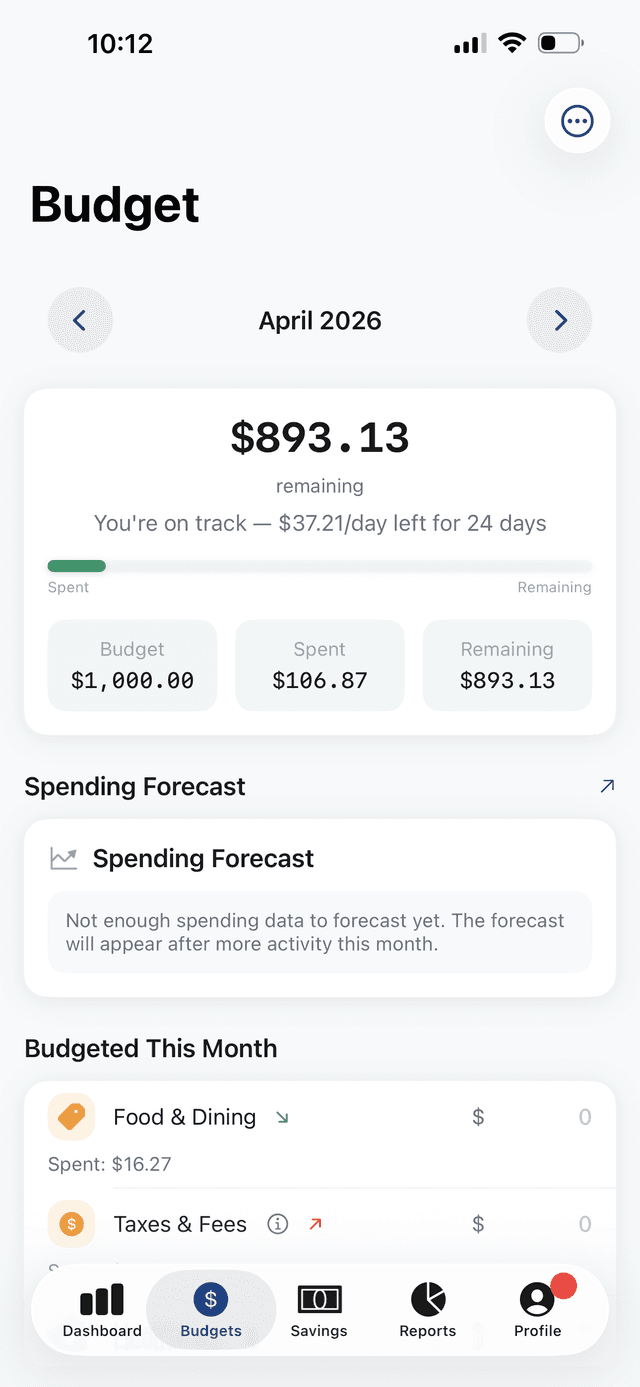
Set spending limits by category and track your progress. Take on weekly challenges to build better habits and earn badges.
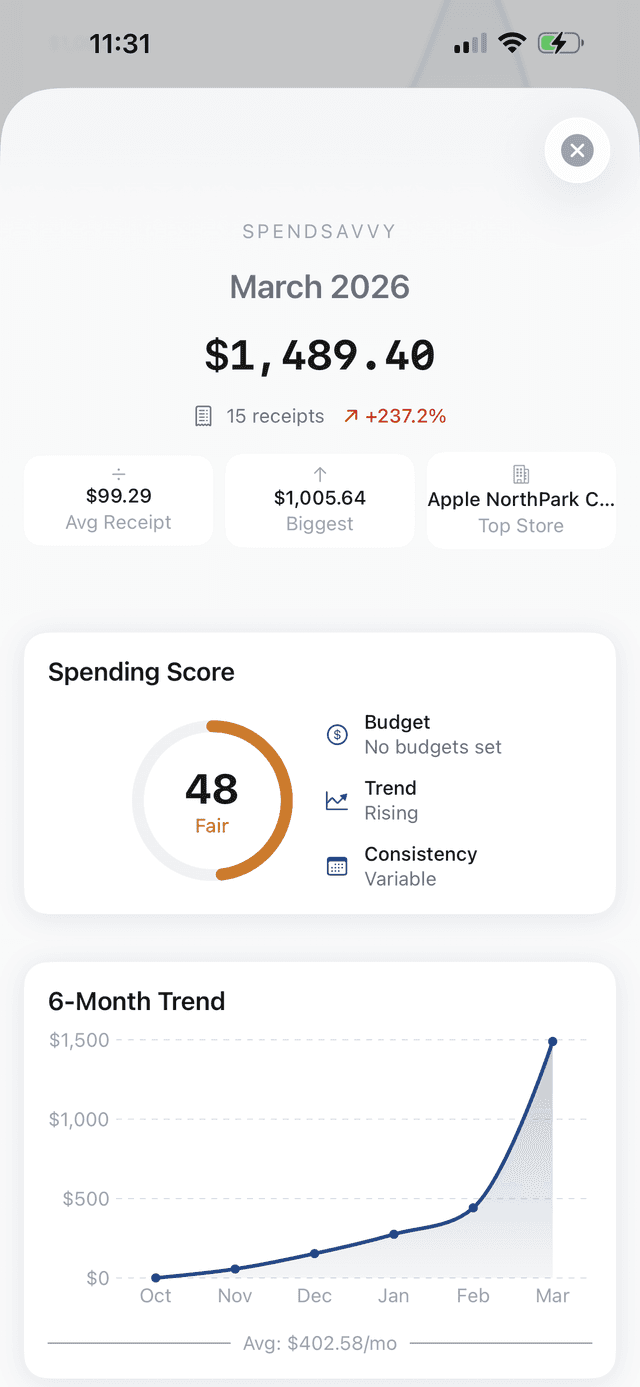
Get a monthly spending score, see exactly where your money went, and receive AI-powered insights to help you save more.
App Tour
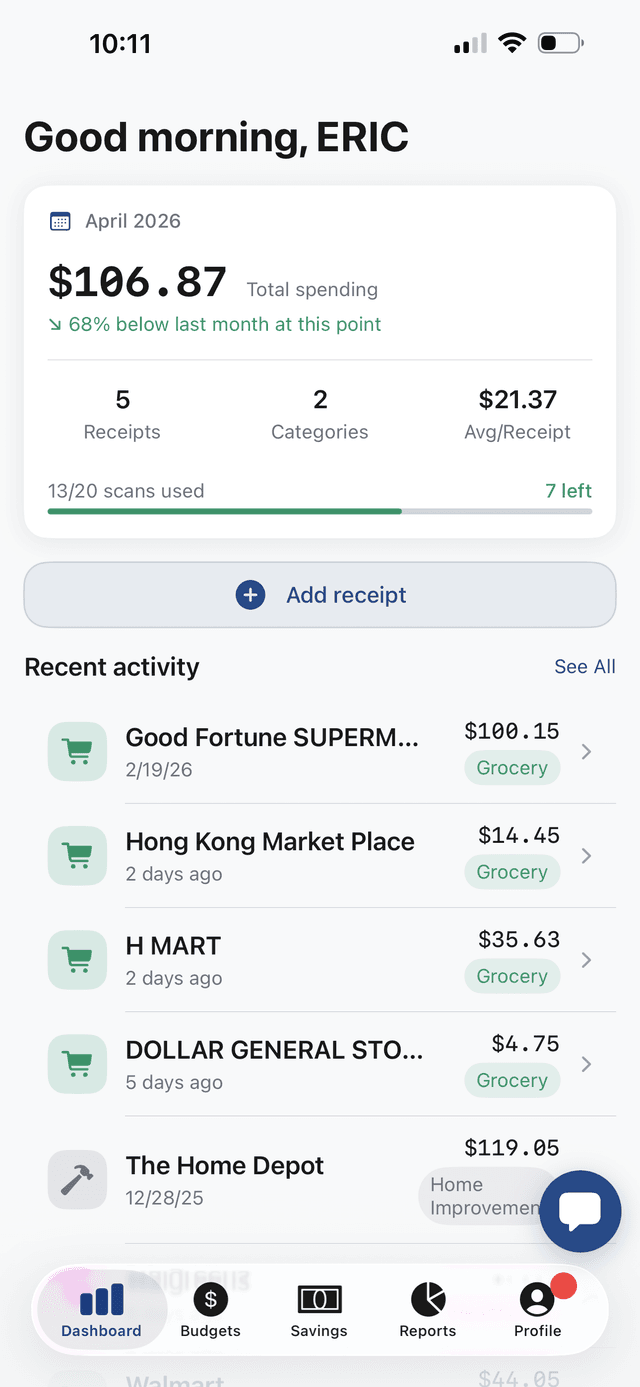
Your spending at a glance
Monthly totals, top merchants, and recent receipts — all on one screen.
Powered by Gemini 2.5 Flash. Snap a photo and AI extracts every item, price, and store in seconds.
Ask anything about your spending. Get instant answers with charts and insights.
Track price changes on items you buy regularly. See which prices went up or down since your last purchase.
Search for deals at specific retailers. Find the best price before your next shopping trip.
Find cheaper prices for items you already buy at other stores nearby.
Set per-category budget goals. Get alerts before you overspend on groceries, dining, gas, and more.
AI-written spending summaries with trends, top merchants, and category breakdowns.
Add items to your watchlist and get alerts when prices drop at your favorite stores.
How it works
Take a photo of any receipt. AI extracts items, prices, and store in seconds.
Monitor prices on items you buy. Get alerts when prices drop at your favorite stores.
Find cheaper alternatives, claim price match refunds, and watch your savings grow.
Pricing
Start free. Upgrade when you're ready.
Free forever
$5.99/mo
$39.99/year — save 44%
FAQ
Yes — the Free plan includes 20 receipt scans, 10 AI Chat messages, budget tracking, and more. No credit card required. Upgrade to Pro for $5.99/month.
Any printed receipt — grocery, restaurant, gas, retail. AI handles faded, crumpled, and long receipts with high accuracy.
AI matches your purchased items across retailers and shows where they cost less, with direct links to the stores.
Go to iPhone Settings → Apple Account → Subscriptions → SpendSavvy, then tap Cancel Subscription. Your data is always yours.
Absolutely. Face ID protection, encrypted storage, and row-level security. We never sell your data.
Start saving on every purchase.
Coming soon to the App Store